Skin Care Preview: see a possible direction before you book a treatment
What Skin Care Preview in VIPAD shows and what it does not, how to use it before a facial or treatment, and the questions worth asking a skin professional.
4 min read



Booking a facial, a peel or a course of treatments often starts with a vague wish. You want your skin to look calmer, smoother or brighter, but it is hard to say exactly how, and even harder to explain it to someone else.
Skin Care Preview in VIPAD gives that wish a picture. Used well, it helps you arrive at an appointment knowing what you want to talk about.
What it shows
Skin Care Preview takes your own photo and shows it with the skin concerns you choose eased. You decide which concerns to include:
- Acne and spots
- Redness
- Pores, texture and oiliness
- Fine lines
- Dark circles and eye bags
- Radiance
The price depends on how many concerns you pick, one to four or five to ten, and it is shown in Credits before the tool starts. If the tool cannot finish, the Credits come back.
Fewer is often better. A preview with every concern eased can look less like a goal and more like a different photo. Choosing the two or three concerns you care about most keeps the picture closer to a change you can actually discuss, and it also keeps the price in the lower band.
See a possible direction first
Skin Care Preview, Skin Analysis and Beauty AI are all in VIPAD.
What it is not
The result is an edited picture, not a promise about what any product, routine or treatment will do. It is never stored as a measurement or as progress, so it does not appear among your Skin Analysis results or your trends.
This matters because real skin responds to care slowly and unevenly. Some concerns soften with a steady routine, some respond to professional treatment, and some are simply part of your face. A picture cannot tell which is which. A qualified professional can.

Tip
Start from a clear photo in soft, even light and without makeup, so the preview works from your real skin.
How to use it before you book
- Choose the concerns that matter most to you. A preview of one or two clear goals is easier to talk about than ten at once.
- Look at the result more than once, on different days. Notice which change you keep coming back to.
- Compare it with your original photo side by side, so you can name the difference in your own words.
- Bring both photos to your consultation, together with a list of the products you use now.
If the change you like most is calmer redness, that is the goal to name first. If it is smoother texture, say so. A clear goal helps the professional suggest the right approach, or tell you honestly that a treatment is not needed.
Questions to bring to a professional
An esthetician or a dermatologist can tell you what is realistic for your skin. Good questions turn a picture into a plan:
- Which of these changes can this treatment realistically help with?
- How many sessions would it take, and how far apart?
- What should my skin care look like before and after each session?
- Is there any downtime, peeling or redness I should plan around?
- Is it suitable for my skin type and sensitivity, or is there a gentler option?
- Which of my current products should I pause, and for how long?
- Is any of this something a doctor should look at instead?
How it fits with Skin Analysis
Skin Care Preview shows a direction. Skin Analysis answers a different question: how your skin looks today. It scores seven readings from 0 to 100, explains each one and names your strongest area and the areas to focus on.
The two answer different questions, and each works on its own. If you have a Skin Analysis result and are unsure which concerns to preview, the readings it suggests you focus on are a sensible place to start.
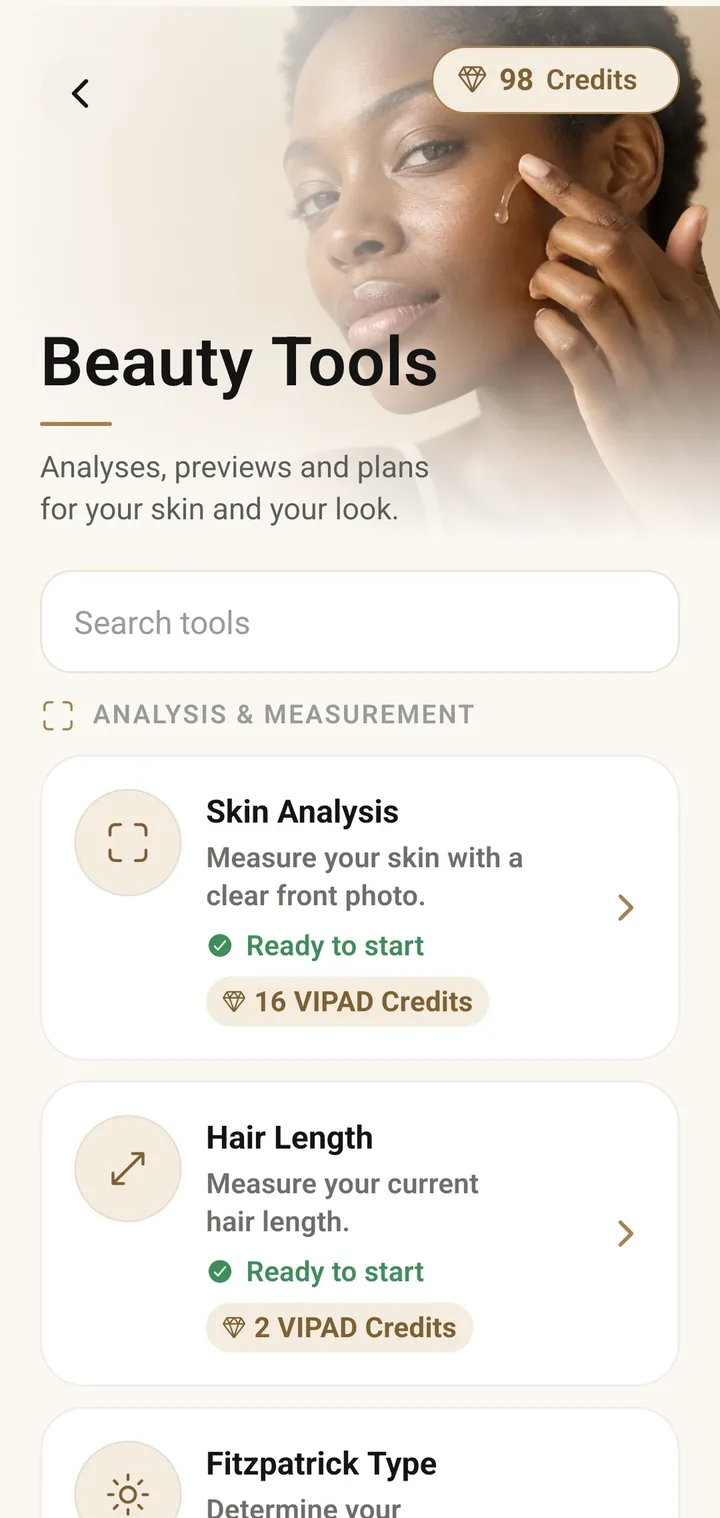
In the app
Beauty Tools in VIPAD, where each tool shows its price in Credits before you start.
How it fits with Beauty AI
Beauty AI can help you think before you spend anything. Ask which concerns are worth focusing on given your profile and results, what a realistic first step at home would be, or how to prepare for a consultation. When a tool would answer your question better than a chat, Beauty AI can open it with your answers filled in, and you check them and see the price before anything starts.
After a treatment or a new routine, you can follow it in Progress and check in after 14, 30 or 60 days. Over time, your own results and check ins show what really changed, which is the one thing a preview can never show.
A healthy way to look at previews
Your skin does not need to match a picture. Use the preview to put words to what you want, to start a better conversation with a professional, and to choose one goal at a time.
Skin Care Preview is cosmetic guidance, not a medical tool. If something in your skin worries you, such as a mole that changes or a rash that does not settle, skip the preview and see a doctor.
See a possible direction first
Skin Care Preview, Skin Analysis and Beauty AI are all in VIPAD.